
Getting started
From here to Vana'diel
Four steps, and most of them are waiting for a download bar.
-
Make your account
Choose an account name and password on the sign-up page and confirm your email with the code we send. Your account name is what you type to sign in; your characters get their own names later.
-
Install the launcher
Get it from the download page and run it. It installs itself, then the game, into one folder of your choosing. If you already have Final Fantasy XI installed, it can use those files and download only what is missing.
-
Sign in and play
Sign in with the account you made, pick a graphics preset (you can change it any time), and press the crystal. The launcher keeps everything up to date from then on.
-
Create your character
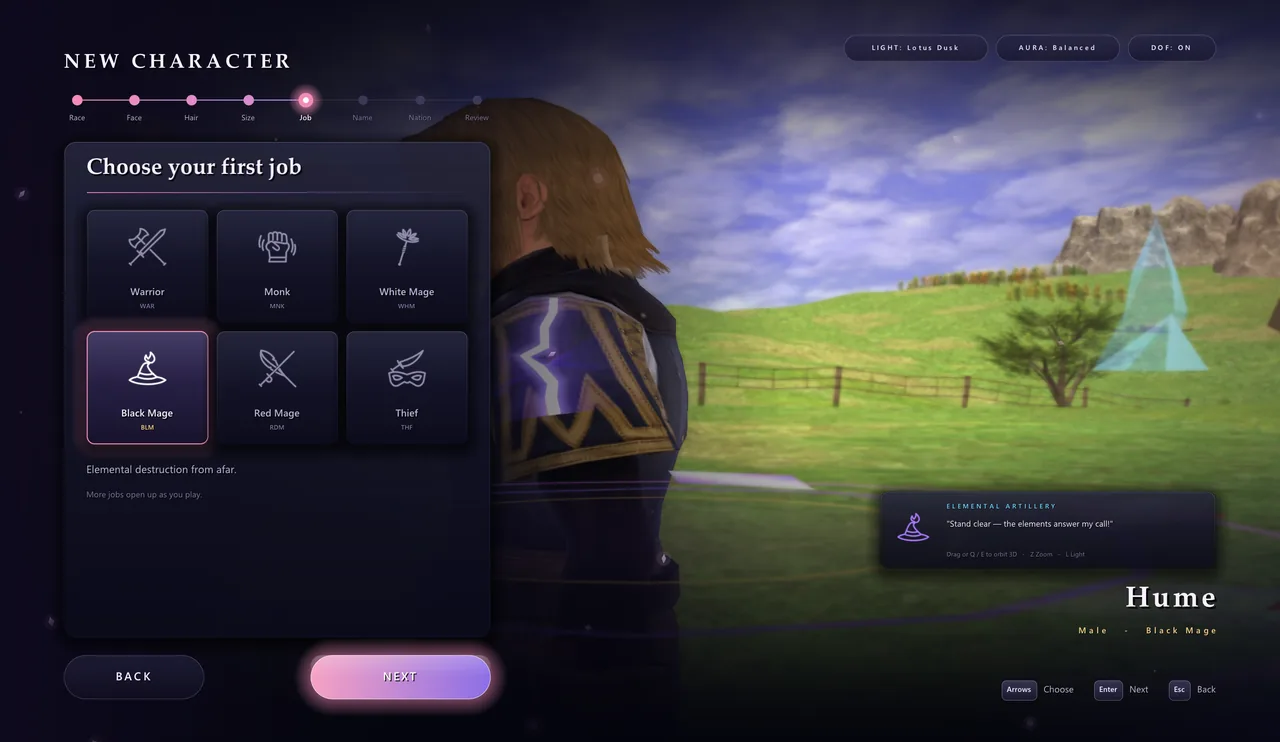
Choose a race, a face, a size and a first job, then your home nation. Your character's name must be unique on the server. Then walk out through the gates.
Good to know
- Lost? Open Wayfinder and pick a quest or mission; a trail of light shows the way.
- Long roads? Hold Shift, or X on a controller, to sprint.
- Need a hand? Call your trusts and give them orders from the Trusts window.
- Something broken after an update? In the launcher, open Settings, Storage and choose Repair. It fixes only the files that are wrong.
- Forgot your password? Reset it here with a code sent to your email.